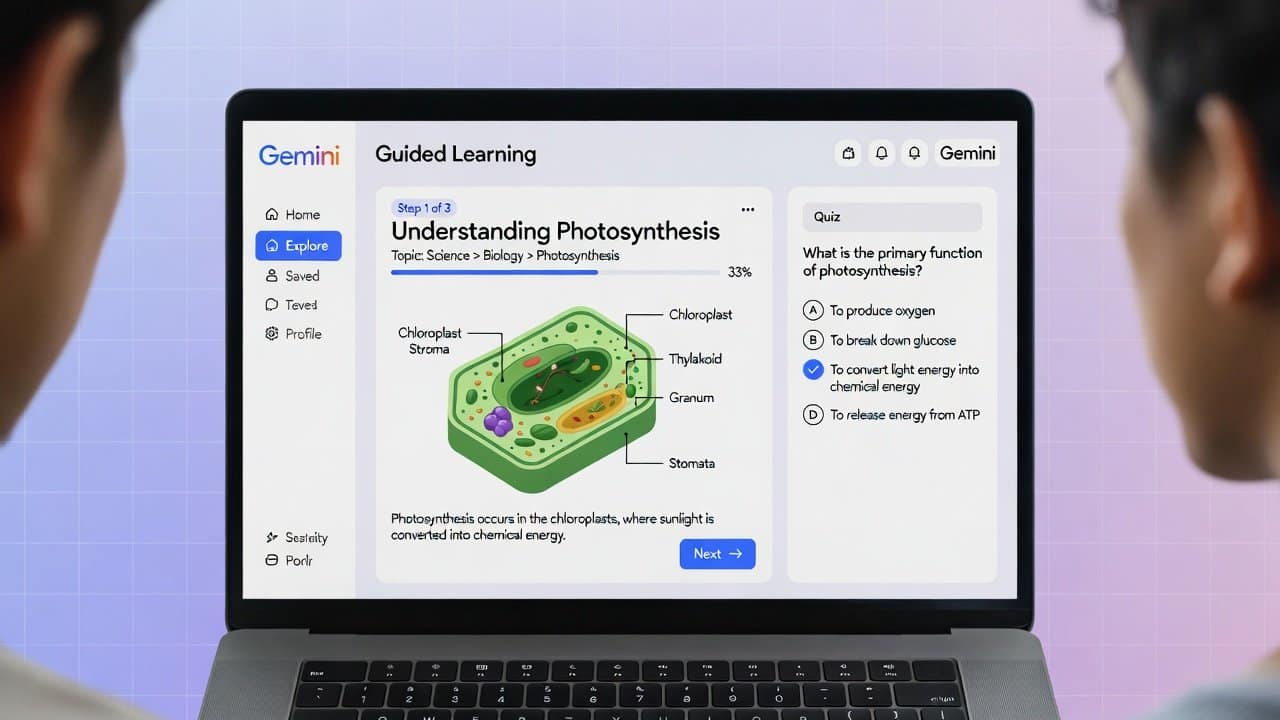
Hey friend, imagine having a patient tutor who never gets tired. One who asks you questions back. Breaks down tough ideas. And checks if you really get it.
That’s exactly what hit me when I first tried Google Gemini Guided Learning last year.
I was brushing up on some old math concepts. Instead of just spitting out answers, Gemini walked me through each step. It felt like chatting with a smart buddy who wants you to succeed.
Fast forward to January 2026. This feature is even better now. It’s helping millions of students and lifelong learners grasp ideas deeper.
Today, I’ll guide you through everything. Like I’m sitting next to you with a coffee.
We’ll cover what it is. How to turn it on. Real ways to use it. And tips to get the most out of it.
Let’s dive in.
What Is Google Gemini Guided Learning Exactly?
Google launched Gemini Guided Learning in mid-2025. It’s a special mode in the Gemini app.
Normal AI gives quick answers. This one acts like a personal coach.
It uses questions. Step-by-step explanations. And interactive checks. All to help you build real understanding.
It’s powered by LearnLM. Google’s AI tuned specifically for education. Backed by learning science research.
No more rote memorizing. It focuses on the “why” and “how.”
In 2026, it’s rolled out wider. Even integrated with more visuals and YouTube videos for better explanations.
Students love it because it adapts to you. If you struggle on one part, it slows down and explains differently.
Why Guided Learning Beats Just Asking for Answers
Think back to school. The best teachers didn’t lecture nonstop.
They asked questions. Made you think. Gave feedback.
That’s what this does.
Research shows active learning sticks better. Guided Learning forces you to engage.
For example:
- It might say, “What do you think happens next?” instead of telling you.
- Then explain why. And build on your response.
Reviews from 2025 say it’s great for math, science, and languages.
One Mashable tester said it shone in offering flashcards and quizzes. Though it sometimes overdoes rote stuff.
But overall, it’s a game-changer for deep comprehension.
How to Activate Gemini Guided Learning Step-by-Step
Super easy. Takes seconds.
- Open the Gemini app or go to gemini.google.com.
- Sign in with your Google account.
- Start a new chat.
- Look at the prompt box. You’ll see a toggle or option for “Guided Learning.”
- Turn it on.
That’s it!
On mobile, sometimes it’s under “More” at the bottom.
Pro tip: If you’re a college student in the US, Canada, or select countries, grab the free Google AI Pro plan. It unlocks better models and unlimited tools. Offer runs through early 2026 in many places.
Real-Life Examples: How I Used Gemini Guided Learning
Let me share a quick story.
Last month, I wanted to understand quantum basics. Not just read about it.
I turned on Guided Learning and said: “Teach me about quantum entanglement step by step.”
Gemini started with basics. Asked what I knew about particles.
Then explained superposition. Used a simple analogy with coins.
It pulled in a YouTube video from a trusted channel to show visuals.
When I got stuck on Bell’s inequality, it broke it into smaller questions.
By the end, I felt like I actually got it. Not just memorized words.
Another example: A friend prepping for exams uploaded her notes.
Gemini created custom quizzes. Then flashcards from wrong answers.
She aced her test!
Top Features in Gemini Guided Learning for 2026
Google keeps updating. Here’s what’s hot now.
Step-by-Step Breakdowns
Perfect for complex topics like coding or history timelines.
Interactive Quizzes and Feedback
Create unlimited quizzes. Multiple choice or short answer.
It gives conversational feedback. Explains mistakes gently.
Flashcards and Study Guides
Upload notes or quiz results.
Gemini auto-generates flashcards. Or full study guides.
Great for quick reviews.
Visuals and YouTube Integration
It adds diagrams, images, or videos automatically.
Makes abstract ideas concrete.
File Uploads for Personalized Help
Upload PDFs, images of problems, or notes.
Gemini analyzes and guides you through them.
Best Ways to Use Gemini Guided Learning for Studying
Here are my top tips. Like advice from a friend who’s been there.
- Start broad. Say “Guide me through learning Python basics.”
- Be specific when stuck. “Explain photosynthesis with diagrams.”
- Use it daily. Short sessions build habits.
- Combine with your materials. Upload textbooks or lecture slides.
- Switch to normal mode for quick facts. Use Guided for deep dives.
For subjects:
- Math/Science: Great for problem-solving.
- Languages: Practice conversations or grammar.
- History: Timelines and cause-effect.
Gemini Guided Learning vs. Other AI Tools
ChatGPT has a similar “Study Mode.” But many educators prefer Gemini in tests.
Why? Better pedagogy. More accurate visuals. Ties into Google ecosystem.
Plus, free Pro access for students makes it accessible.
In Canada and USA, adoption is huge in colleges.
Common Mistakes to Avoid
Don’t treat it like a cheat sheet. Engage honestly.
Turn off Guided if you need fast answers.
Don’t upload sensitive info. Though Google has strong privacy.
How to Get Started Today
Head to gemini.google.com.
Try a simple prompt in Guided mode: “Help me understand climate change step by step.”
You’ll see the magic.
If you’re building a blog or site, check Hostinger for fast hosting. Use my link for a deal: Hostinger. It’s what powers my sites smoothly.
For stock images of AI learning scenes, Shutterstock has great ones: Shutterstock Contributor.
Future of Guided Learning in 2026 and Beyond
Google invested billions in education AI.
Expect more personalization. Maybe voice-full sessions or AR integration.
It’s exciting. AI as a true learning partner.read more-
Gemini Interactive Images 2025: The AI Feature That Makes Learning Feel Like Magic
FAQs About Google Gemini Guided Learning
What is Gemini Guided Learning mode?
It’s a special mode in Google Gemini that guides you step-by-step instead of giving direct answers. Helps build deep understanding.
How do I turn on Guided Learning in Gemini?
In the Gemini app or web, look for the toggle in the prompt box or under More options. Select it before chatting.
Is Google Gemini Guided Learning free?
Yes! Basic access is free. Students get enhanced Pro features free in many countries through 2026.
Can Gemini create quizzes and flashcards?
Absolutely. Ask it to make custom quizzes from notes. Then generate flashcards or study guides from results.
Does Guided Learning work for all subjects?
Yes. Great for math, science, languages, history, coding, and more. Uses visuals and videos too.
How is Gemini Guided Learning different from normal Gemini?
Normal gives quick answers. Guided asks questions back, checks understanding, and teaches interactively.
Can I upload files to Gemini Guided Learning?
Yes. Upload notes, PDFs, or images. It analyzes and creates personalized guidance.
Is Gemini good for college studying in 2026?
Totally. Many US and Canadian colleges offer free Pro access. Tools like deep research and NotebookLM help too.
Does Gemini Guided Learning include YouTube videos?
Yes. It pulls relevant educational videos to explain concepts better.
Who can use Gemini study tools like quizzes?
Available to all, but some advanced features for 18+ or Pro users.