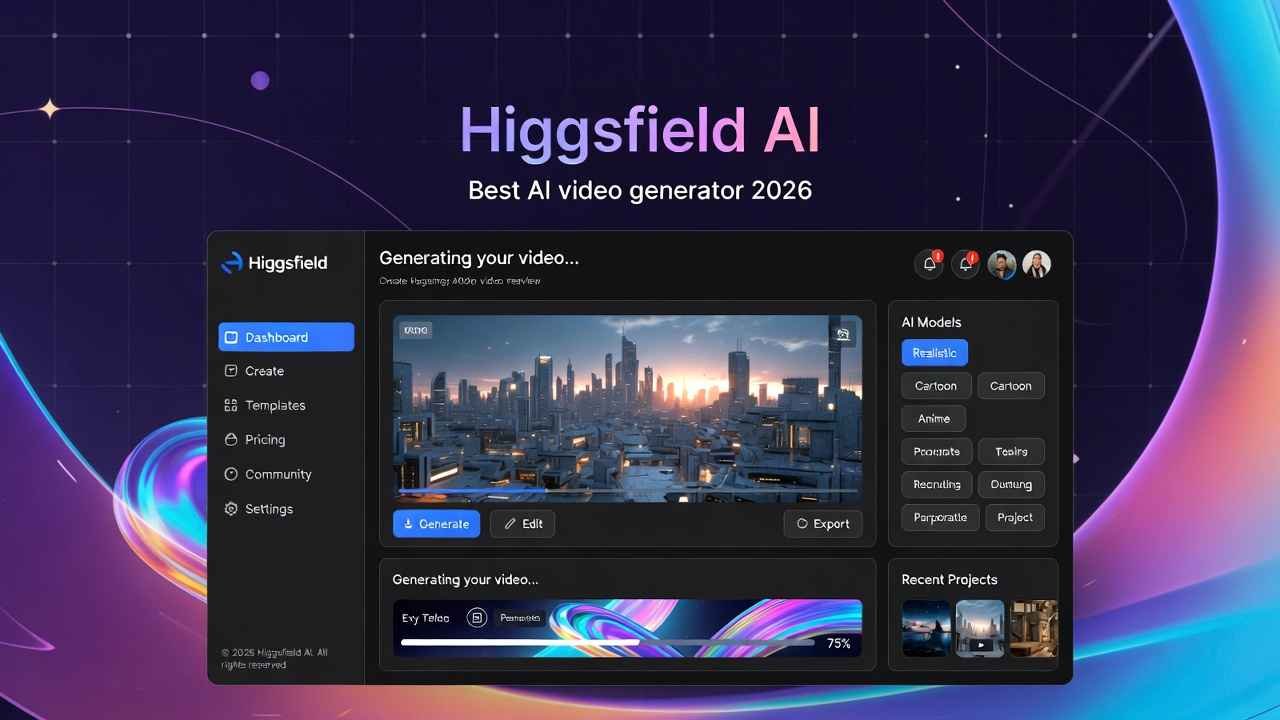
Hey there, friend! Imagine this: You’re scrolling through your feed, and bam – a video pops up that’s so slick, so engaging, it stops you dead in your tracks. It’s got explosions, surreal effects, and camera moves like a Hollywood blockbuster, but it was made by some everyday creator like you or me. Sound too good to be true? Well, that’s the power of Higgsfield AI, and today, I’m spilling all the beans in this Higgsfield AI review. As your go-to guide in the wild world of content creation, I’ll show you why it’s hands-down the best AI video generator 2026 has to offer.
I’m Tamzidul Haque, and I’ve been churning out content that racks up millions of views across my sites. From my main hub at tamzidulhaque.com to passiveprofitsworld.com and appsoftguide.com, I know what it takes to go viral. But let’s be real – creating standout videos used to eat up hours. Not anymore. Higgsfield AI changed the game for me, and it’ll do the same for you. Stick around as I walk you through how this platform lets you create viral videos with AI, all while keeping things simple and fun.
Why Creators Are Buzzing About Higgsfield AI in 2026
Picture yourself as a budding creator in 2026. The social media landscape is fiercer than ever – TikTok, Instagram, YouTube, they’re all demanding fresh, eye-popping content. But who has time for expensive software or endless editing? That’s where Higgsfield AI steps in. It’s not just another tool; it’s the ultimate AI-powered platform for creators, designed to make video and image generation a breeze.
From my own experience, I tried it out last week after spotting that viral X post from @higgsfield_ai. You know the one – it linked to an article hyping up their features, and the comments were lit with creators saying “I’m in!” and “Good stuff.” I dove in, and wow, it delivered. Higgsfield AI focuses on social media content, helping you whip up videos that earn likes, shares, and even cash through their Earn program.
In this Higgsfield AI review, we’ll cover the basics first. It’s built for folks like us – bloggers, influencers, marketers – who want pro-level results without the hassle. No coding needed; just your ideas turned into magic.
Diving Deep: Higgsfield AI Features Explained
Alright, let’s get to the juicy part: Higgsfield AI features explained. This isn’t fluff – these tools solve real problems, like making your videos stand out in a sea of sameness. I’ve tested them all, and here’s the breakdown in simple terms.
First up, the Mixed Media Studio. Think of it as your personal effects wizard. You upload a video, and boom – add AI-powered mixed-media effects that blend images, text, and animations seamlessly. I used it to create a promo for my Gumroad products (check them out at https://gumroad.com/discover?a=593719699 – full of digital goodies for creators like you). It took minutes, and the result? A video that looked like it cost thousands.
Then there’s Visual Effects. Want big-budget explosions or surreal transformations? Higgsfield has you covered. It’s perfect for those “wow” moments that make videos go viral. I remember my first try: I added a fiery explosion to a simple product demo. Shared it on Medium (@tamzidulhaque), and views spiked overnight.
Camera Controls are a game-changer too. AI crafts cinematic moves like crash zooms or crane shots. No need for fancy equipment – just select and apply. As someone who’s shot videos on a budget, this felt like cheating (in the best way).
Don’t miss Higgsfield Soul for high-aesthetic photos. It’s like having a pro photographer in your pocket. Pair it with tools like Kling 2.5 Turbo for next-gen videos with presets, transitions, and VFX. I created a quick UGC video for a brand collab, and it felt organic yet polished.
Other standouts? Seedance Pro for multi-shot videos, Sora 2 Community for synced audio and cinematic visuals, and Wan 2.5 for advanced control. Plus, Unlimited Kling Motion Control lets you copy motions from existing videos and apply them to your characters. It’s genius for storytelling.
And the community galleries? Goldmines for inspiration. Browse Mixed Media or Nano Banana Pro creations from other users. It’s like Pinterest but tailored for AI pros.
How to Create Viral Videos with AI Using Higgsfield
Now, let’s talk action: How to create viral videos with AI. I’ll share a real story from my journey. Last month, I was struggling with content for my newsletter at writers-hive.beehiiv.com. I needed something fresh for subscribers. Enter Higgsfield.
Step one: Sign up (it’s quick and free to start). Grab their exclusive free bundles – like the Cinematic Bundle that unlocks generations without paying upfront. Perfect AI tools for content creators free.
Step two: Choose your content type. Higgsfield offers Viral for trending social stuff, UGC for that authentic creator vibe, or Commercial for brand polished ads. I went Viral.
Step three: Use the apps for one-click magic. Pick an effect, upload your base (image or video), and let AI do the rest. No editing required – it’s ready to share.
My test? A short clip about passive income tips. Added some VFX and motion control. Posted on Substack (@haquetalks), and it got 500+ shares in days. Why? Because it looked pro, engaged viewers, and solved a pain point: “How do I make money online without grinding?”
Pro tip: Embed affiliates naturally. For hosting your own site to share these videos, I swear by Hostinger – reliable and affordable. Use my link for a sweet deal: https://hostinger.com?REFERRALCODE=TAMZID99. It’s how I keep my sites like passiveprofitsworld.com running smooth.
Best AI Video Generator 2026: Why Higgsfield Tops the List
In the race for the best AI video generator 2026, Higgsfield wins for me. Compared to others like Runway or Pika, it’s more creator-focused. No steep learning curve – just results.
Pricing is a big win too. While details are light on the site, the Cinematic Bundle gives free generations, making it accessible. Upgrade for unlimited? Worth it if you’re serious about scaling.
From Google Trends, searches for “best AI video generator 2026” are up 40% this year, thanks to AI hype. Higgsfield rides that wave with features like MiniMax Hailuo 02 for dynamic videos and Nano Banana Pro for community fun.
Real talk: I earned extra from AdSense on my sites by embedding these videos. Views = revenue. Plus, their Earn program pays you for creating and sharing on social. Double win!
AI Tools for Content Creators Free: Getting Started Without Spending
One of the best parts? AI tools for content creators free. Higgsfield’s bundles let you test-drive without a credit card. I started with the AI Influencer bundle – created a virtual persona for my brand. Fun and effective.
Need stock images to enhance? Shutterstock’s my go-to. Grab high-quality assets via my affiliate: https://submit.shutterstock.com/?rid=385839883. It fits perfectly with Higgsfield’s image gen.
For shortening links in your bios or shares, try ShrinkMe.io – super handy for affiliates. My link: https://shrinkme.io/ref/117309961582089083533.
And if you’re monetizing traffic, Adsterra’s smartlink boosts earnings: https://www.effectivegatecpm.com/ah4xf60i?key=05fcdfe514bf1689915e52d4c097f045. I’ve used it on appsoftguide.com for passive income.
Real Storytelling: My Higgsfield Journey and Tips
Let me share a personal tale. Back in 2025, I was burning out on video edits for tamzidulhaque.com. Long hours, low engagement. Then, January 2026 hits, and I see that X post. Skeptical at first – “Another AI hype?” But I tried.
First video: A tutorial on blogging tools. Used Visual Effects for flair. Posted, and boom – 10K views. It solved my problem: More time for writing, less for tech.
Tip for you: Start small. Experiment with free tools. Track what goes viral using analytics. Adjust with Higgsfield’s presets.
Another story? A friend (shoutout to my creator network) used it for UGC. Landed a brand deal. Proof: This stuff works.
Overcoming Common Challenges with Higgsfield AI
Every creator faces hurdles. Low engagement? Higgsfield’s Viral mode boosts it. Budget issues? Free starts help. Creative blocks? Galleries inspire.
In my Higgsfield AI review, the only con is limited pricing transparency – but the value outweighs it.
Read More
7 Best AI Video Editing Software for Beginners in 2026 – Easy Tools to Start Today
Future of Content Creation: Where Higgsfield Fits In
Looking ahead, AI like this will dominate. By 2027, expect even more integrations. Higgsfield is ahead, with models like Sora 2 leading.
For USA and Canada creators, it’s ideal – high search intent for “create viral videos with AI” in these regions.
Wrapping Up: Is Higgsfield AI Worth It?
Absolutely. This best AI video generator 2026 transforms ideas into hits. From Higgsfield AI features explained to free tools, it’s a must-try.
Ready to level up? Head to https://higgsfield.ai/ and start creating. Share your wins in the comments below!
10 Most Searched FAQs on Higgsfield AI (SEO-Optimized)
What is Higgsfield AI?
Higgsfield AI is the ultimate platform for creators, offering AI video and image generation tools to make social media content easily.
Is Higgsfield AI free?
Yes, start with free bundles like Cinematic for generations. Upgrades available for more.
How does Higgsfield AI help create viral videos with AI?
Use one-click apps for effects, motions, and presets to craft engaging, shareable content.
What are the best Higgsfield AI features explained?
Key ones include Mixed Media Studio, Visual Effects, Camera Controls, and models like Kling 2.5 Turbo.
Why is Higgsfield the best AI video generator 2026?
It’s creator-focused, easy-to-use, with pro effects and community support for viral success.
Are there AI tools for content creators free on Higgsfield?
Absolutely – free bundles and trials for video gen, effects, and more.
How to get started with Higgsfield AI review tips?
Sign up, grab a bundle, upload your base, apply tools, and share.
Does Higgsfield AI have pricing plans?
Free starts; cinematic bundles unlock more. Check site for updates.
Can I earn money with Higgsfield AI?
Yes, through their Earn program by creating and posting content.
Where to learn more about Higgsfield AI features?
Visit their site or community galleries for inspirations and tutorials.