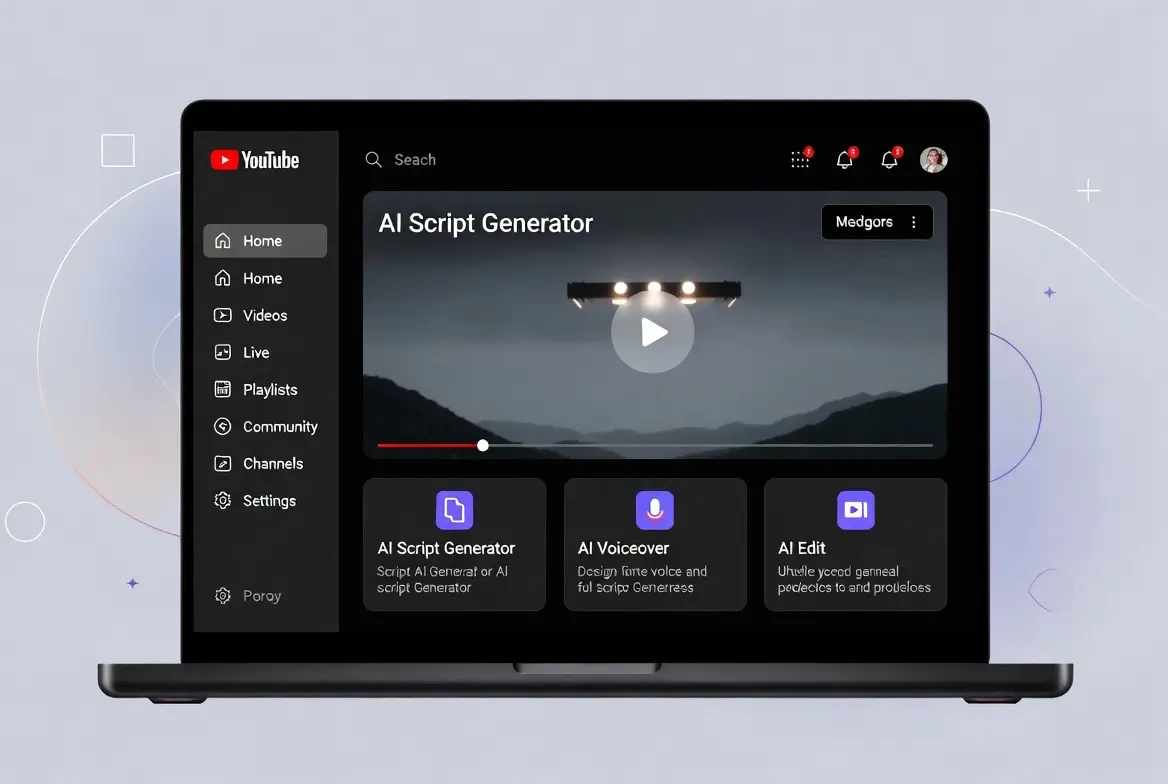
Are you tired of appearing on camera but still want to tap into YouTube’s massive earning potential? You’re not alone. In 2026, youtube automation tools — especially faceless channels — has exploded thanks to powerful AI tools that handle scripting, voiceovers, video editing, thumbnails, and even SEO.
Many creators now earn thousands monthly from AdSense, affiliate marketing, and sponsorships without ever showing their face. The secret? Smart automation stacks that cut production time from days to hours.
In this comprehensive guide, you’ll discover:
- The best AI tools dominating YouTube automation in 2026
- Step-by-step workflow to launch and scale a faceless channel
- Proven niches, monetization strategies, and common pitfalls
- How to combine tools for maximum efficiency and revenue
Whether you’re a complete beginner or looking to optimize an existing channel, this post delivers actionable insights to help you start earning faster.
What Is YouTube Automation in 2026?
YouTube automation means creating and managing a channel with minimal hands-on work. Most modern setups are faceless — using stock footage, AI-generated visuals, animations, or screen recordings instead of personal appearances.
In 2026, AI has matured dramatically:
- Realistic text-to-speech voices
- Full text-to-video generation
- Automated SEO and trend detection
The result? Channels in niches like motivation, facts, top 10 lists, meditation, or finance tutorials can publish 3–7 videos per week with low effort.
Primary benefits:
- Scale without burnout
- Passive income potential (AdSense + affiliates)
- Low startup costs ($20–100/month)
But success requires the right tools and strategy.
Why 2026 Is the Perfect Year to Start
AI video quality has jumped. Tools like ElevenLabs sound human, while platforms like Pictory and InVideo auto-sync footage perfectly. YouTube’s algorithm favors consistent uploads, and faceless content performs well in evergreen niches.
Many creators report hitting monetization (1,000 subs + 4,000 watch hours) in 2–6 months with proper execution.
Step-by-Step: How to Launch Your youtube automation tools Channel
Step 1: Choose a Profitable Niche
Focus on evergreen + high-CPM topics:
- Personal finance & investing
- Top 10 lists / facts
- Motivational & stoicism
- Relaxation / ambient sounds
- Tech explainers (no face needed)
- Movie/TV breakdowns
- History documentaries
Use tools like vidIQ or TubeBuddy for keyword research — look for 1,000–10,000 monthly searches with low competition.
Step 2: Research Keywords & Ideas
Don’t guess. Tools automate this:
- vidIQ or TubeBuddy — AI keyword explorer, competitor analysis
- Google Trends + AnswerThePublic — trending topics
- ChatGPT — generate 50 video ideas from one prompt
Pro tip: Target long-tail keywords like “best passive income ideas 2026 no money” for faster ranking.
Step 3: Script Writing with AI
Great scripts hook in 5 seconds and keep viewers.
Best tools:
- ChatGPT (free tier works) — write full scripts with hooks
- Jasper AI or Writesonic — SEO-optimized, brand voice
- Claude — excellent for long-form structure
Structure: Hook → Problem → Value → Call to action.
Step 4: Generate Voiceovers
Human-like voices are non-negotiable.
Top picks in 2026:
- ElevenLabs — most realistic, voice cloning ($5 starter plan)
- MURF AI or Speechelo — solid alternatives
- Fliki — built-in voices + video creation
Step 5: Create Videos Automatically
This is where magic happens.
Leading AI video generators:
- Pictory — Best for turning scripts/blogs into videos with stock footage + auto-edits
- InVideo — Flexible templates, great for beginners
- Fliki — Text-to-video + voiceover in one
- Zebracat — Fast short-form focus
- Advanced: Runway, Kling AI, HeyGen (avatars)
Budget stack example ($20–50/month):
- ChatGPT (free) → ElevenLabs ($5) → Pictory ($19)
Many creators produce 3–4 videos/week this way.
Step 6: Design Thumbnails & Titles
Click-through rate (CTR) decides success.
- Canva (free) or Pikzels (AI thumbnails)
- Thumbnail Blaster — automated generation
- vidIQ — AI title suggestions
Aim for bold text, faces/emotions, and contrast.
Step 7: Optimize & Upload
- TubeBuddy or vidIQ — tags, descriptions, end screens
- Schedule uploads for consistency
Step 8: Track & Scale
Use YouTube Studio + Social Blade for growth insights.
Once monetized, add affiliates.
Best All-in-One YouTube Automation Tools Comparison (2026)
Here’s a quick comparison of popular platforms:
- Pictory → Best overall text-to-video, fast editing
- InVideo → Most templates, versatile
- Fliki → Great voice + simple workflow
- vidIQ / TubeBuddy → SEO kings
- ElevenLabs → Voiceover champion
Start with a budget stack and upgrade as you grow.
Monetization Strategies Beyond AdSense
AdSense is great, but diversify:
- Affiliate links (Amazon, finance tools)
- Digital products (e.g., Gumroad courses)
- Sponsorships once at 50k+ subs
Recommended hosting for your blog/channel site: Start with fast, reliable hosting like Hostinger — perfect for beginners, affordable, and optimized for WordPress.
For digital products to sell alongside your channel, check out quality resources on Gumroad.
Common Mistakes to Avoid
- Poor voice quality → viewers drop off
- Inconsistent uploads
- Ignoring SEO
- Copyrighted music/footage → demonetization risk
- Expecting overnight success — consistency wins
Final Thoughts & Next Steps youtube automation tools
YouTube automation in 2026 is more accessible than ever. With the right AI tools, a solid niche, and consistent execution, you can build a passive income stream.
Start small: Pick one niche, create 10 videos with a budget stack, and optimize based on analytics.
Check out more of my writings:
TAMZIDUL HAQUE 🖋️Writer —
Read More-Unlock the YouTube Shorts Hook Formula: Go Viral in 2026 with These Proven Tips!
Now go build that channel — your first automated video is waiting.
FAQ: YouTube Automation Tools
What are the best YouTube automation tools in 2026?
Top picks include Pictory, InVideo, Fliki, ElevenLabs, vidIQ, TubeBuddy, and ChatGPT for scripting.
How much does it cost to start a faceless YouTube automation channel?
You can start for $0–$50/month using free ChatGPT + ElevenLabs Starter ($5) + Pictory Lite ($19).
Can faceless YouTube channels get monetized in 2026?
Yes — as long as content is original, valuable, and follows guidelines. Many succeed in facts, motivation, and finance niches.
Which AI voice tool sounds most human?
ElevenLabs leads in 2026 for realism and voice cloning.
How long does it take to monetize a YouTube automation channel?
Typically 2–8 months with 3–5 weekly uploads and good SEO.
Is YouTube cracking down on AI-generated content?
Not if it’s high-quality and adds value — focus on originality and engagement.
What’s the easiest tool for beginners?
Pictory or InVideo — they handle most steps from script to final video.
Can I combine multiple tools?
Yes — most creators use ChatGPT (script) + ElevenLabs (voice) + Pictory/InVideo (video) + vidIQ (SEO).
How do I find good niches for automation?
Use vidIQ/TubeBuddy for low-competition keywords with high search volume.
Do I need to show my face?
No — faceless channels dominate automation with stock footage, animations, or AI visuals.