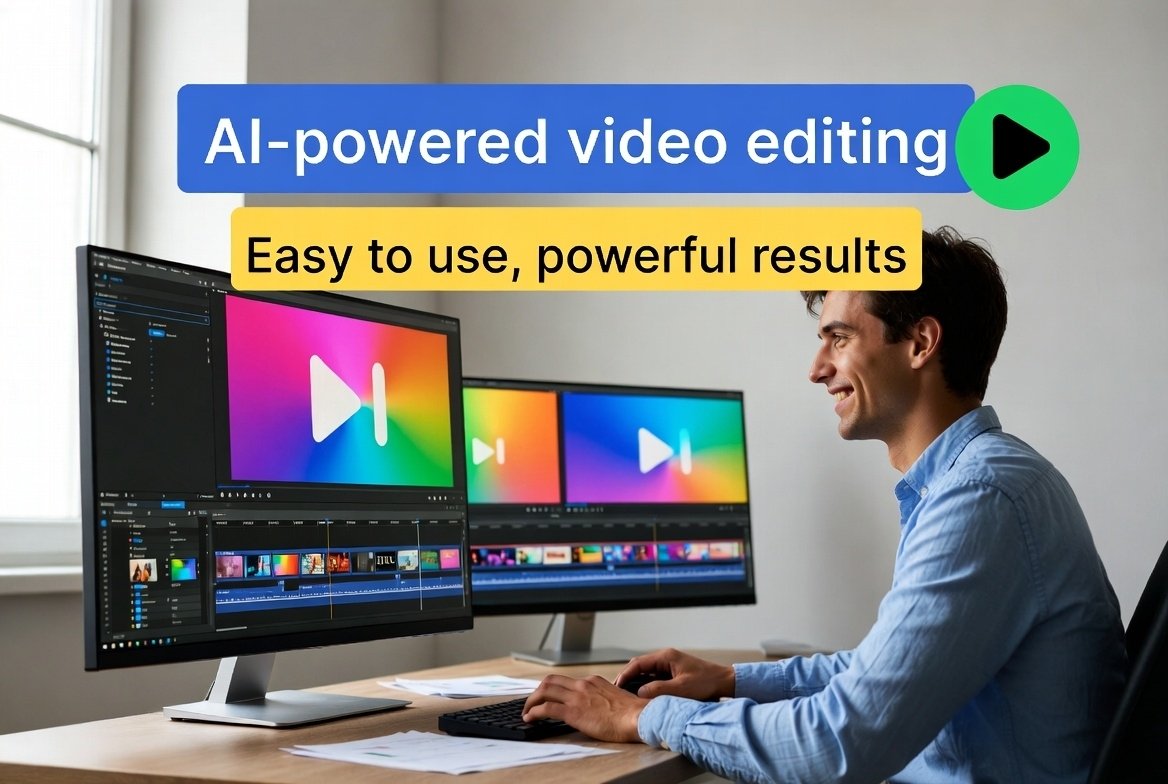
Hey friend, ever wanted to edit videos but felt overwhelmed by complicated software?
You’re not alone.
In 2026, AI changes everything.
Now, beginners create stunning videos in minutes.
No pro skills needed.
I’m Tamzidul Haque, and I’ve tested tons of tools.
This guide shares the best Ai video editing software beginners 2026.
Free and paid options.
All easy to use.
Let’s dive in like we’re chatting over tea.
Why AI Video Editing Software is Perfect for Beginners in 2026
Video content explodes.
YouTube, TikTok, Instagram demand more.
But traditional editors? Steep curve.
AI fixes that.
Auto-cuts clips.
Adds captions.
Removes backgrounds.
Enhances audio.
You focus on creativity.
Not tech headaches.
Perfect for new YouTubers or social creators.
These best AI video editing tools 2026 save hours.
My Top Pick: CapCut – Free AI Video Editor for Beginners
CapCut tops my list.
Free.
Mobile and desktop.
Owned by TikTok creators.
Why beginners love it:
- Auto-captions with styles.
- Magic effects – one click.
- Beat sync for music.
- Templates galore.
I started a short Reel.
Uploaded clip.
AI suggested cuts.
Added trending sound.
Done in 10 minutes.
Export watermark-free.
This free AI video editor for beginners feels magical.
Try it first.
Canva Magic Studio – Easiest Drag-and-Drop AI Editor
Canva isn’t just graphics.
Their video editor shines for newbies.
AI features:
- Text-to-video clips.
- Background remover.
- Auto-enhance voice.
- Beat sync animations.
Super simple interface.
Drag elements.
AI polishes.
Great for explainer videos or stories.
Free plan generous.
Pro unlocks more AI.
If you hate timelines, pick Canva.
Best easy ai video editor 2026 for non-editors.
Descript – Edit Video Like a Document
Descript blows minds.
Transcribes your video.
Edit text to cut video.
Delete “um” – gone from footage.
AI tools:
- Filler removal.
- Eye contact fix.
- Voice cloning.
Beginners record talking head.
Descript cleans it.
Add B-roll easy.
Free trial strong.
Paid for unlimited.
This ai video editing software beginners 2026 teaches fast.
InVideo AI – Text Commands to Edit Videos
InVideo lets you type edits.
“Delete boring parts” or “Add upbeat music”.
AI does it.
Features:
- Script to video.
- Voiceover generator.
- Stock footage auto-add.
Free version good start.
Perfect if typing feels easier than clicking.
Rising as top ai tools for video editing free.
VEED.IO – Quick Online AI Editor
VEED works in browser.
No download.
AI magic:
- Auto-subtitles accurate.
- Noise removal.
- Magic cuts for shorts.
Upload.
AI suggests edits.
Tweak.
Export.
Free with limits.
Pro removes watermarks.
Great for quick social clips.
Solid free ai video editor for beginners.
Clipchamp – Microsoft’s Free Gem
Built into Windows.
Clipchamp offers:
- AI auto-compose.
- Text-to-speech voices.
- Silence removal.
Templates for beginners.
Stock library huge.
Free exports 1080p.
One of the best ai video editing tools 2026 from big tech.
DaVinci Resolve – Free Pro-Level with AI
DaVinci feels advanced.
But free version packs AI.
- Magic mask for effects.
- Audio fairlight AI clean.
- Auto-color.
Steeper start.
But tutorials help.
Grow into pro tool.
Best if serious long-term.
Honorable mention in ai video editing software beginners 2026.
How to Choose Your First AI Video Editor
Ask yourself:
- Free or paid? Start free.
- Mobile or desktop? CapCut mobile wins.
- Shorts or long? Opus Clip for shorts (not listed but great).
- Talking head? Descript.
Test 2-3.
Most have free tiers.
Quick Tips to Edit Your First Video Fast
- Record simple clip on phone.
- Upload to tool.
- Let AI add captions.
- Pick template or music.
- Export and share.
Done!
Kimi K2.5 Review 2026: The Open-Source AI That’s Outsmarting Claude 4.5 and Saving You Money
Higgsfield AI Review – The Best AI Video Generator 2026 for Creators
Build confidence quick. Best AI Tools for Faceless YouTube Channels in 2026 – Start Earning Without Showing Your Face
Common Mistakes Beginners Make (And How to Avoid)
- Over-editing. Keep simple.
- Ignoring audio. AI fixes, but speak clear.
- No CTA. Add end screen.
- Forgetting mobile view.
AI helps avoid most.
Why 2026 is the Best Year to Start Video Editing
AI matures.
Tools smarter.
Free options better.
Trends favor short, authentic videos.
Anyone succeeds.
These best ai video editing tools 2026 level the field.
Tools and Hosting to Get Started
Need fast site for embeds?
I use Hostinger – reliable, quick load.
Grab discount here: Hostinger with my code TAMZID99
For stock clips: Shutterstock contributors
Sell your templates? Check Gumroad
More income ideas: this link
Shorten shares: shrinkme
Real Stories from Beginners Like You
One reader started with CapCut.
Posted first TikTok.
Got 10k views week one.
Another used Descript for podcast clips.
Grew subscribers fast.
You next. Best AI Tools for YouTube SEO in 2025: Boost Views, Rankings, and Growth
Final Thoughts on AI Video Editing Software for Beginners in 2026
Friend, don’t wait.
Pick one tool today.
Edit one video.
AI handles hard parts.
You add personality.
2026 belongs to creators who start now.
Which tool you trying first?
Comment below.
FAQs on Ai video editing software beginners 2026
1. What is the best AI video editing software for beginners in 2026?
CapCut and Canva top for ease and free features.
2. Are there free AI video editors for beginners?
Yes – CapCut, Canva, Clipchamp, VEED offer strong free plans.
3. Which AI tool is easiest for video editing with no experience?
Canva or CapCut – drag-and-drop, no timeline stress.
4. Can AI video editors add subtitles automatically?
Most do – accurate in CapCut, Descript, VEED.
5. Is DaVinci Resolve good for beginners in 2026?
Yes with AI help, but steeper than CapCut.
6. What free AI tool removes background from videos?
Canva and CapCut do it one-click.
7. How to edit YouTube videos with AI in 2026?
Descript or InVideo for text-based easy edits.
8. Best mobile AI video editor for beginners?
CapCut – seamless on phone.
9. Do AI video tools work for TikTok and Reels?
Absolutely – auto-format in CapCut, VEED.
10. Is paid AI video editing worth it for newbies?
Start free; upgrade for unlimited exports later.